
Alerts
Know which door needs your attention.
Review unexpected openings and movement alongside access records, then decide who should respond.
A customer has finished unloading, but their unit door is still open. Elsewhere, a door opens without authorised access. Your team needs to know where to look and what each event means.
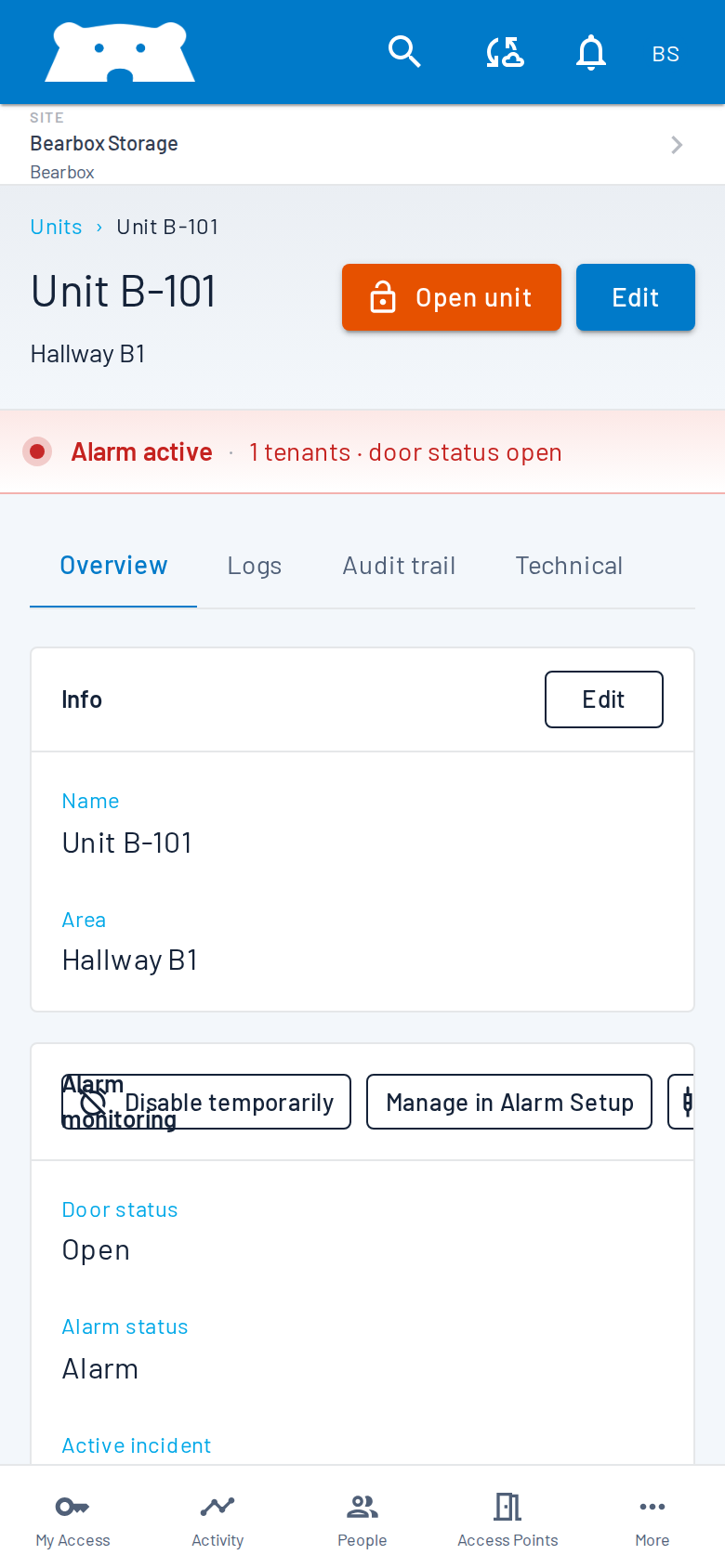
Know what needs checking
A unit door left open may need a call to the customer. Movement in an armed corridor needs investigation. Bearbox alerts your team to unexpected openings, movement alarms, failed access attempts and activity outside permitted hours. Choose which events notify your team.
See what happened around the alarm
Check the affected door or unit in Portal, then review the access records. If CCTV is available, look at the relevant camera too. Check whose credentials were used, which door opened and the current camera view before deciding how to respond.
Get the alert to the right person
Send alerts to the people responsible for your site, including cover outside office hours. Email, SMS and push notifications can help your team know when to check a unit or contact a customer. We’ll confirm the notification options for your installation.
Have someone ready to respond
Your staff can handle alerts, or you can connect alarms to a monitoring station or alarm receiving centre (ARC). Security-monitoring partners such as DSOC can investigate under your agreed response plan. Decide who checks the event and who to contact when further action is needed.
Questions about alerts?
Practical answers for planning your site.
Which events can trigger an alert?
Unexpected door openings, movement alarms, doors left open, failed access attempts and activity outside permitted hours can trigger alerts. Choose the events you need from the sensors and access controls installed at your site.
Will normal customer visits trigger alarms?
The customer’s route and unit can disarm for their visit while other areas stay protected. Protection returns when the visit ends under your site’s visit rules.
Can we review what happened after a notification?
Yes. Check the door’s current status, the event history and the related access records in Portal. Connected live cameras help you check the scene; recorded footage is reviewed through your CCTV recorder.
Who responds to an alarm?
Your staff or your chosen monitoring service responds under the site’s response plan. Agree who investigates, who is contacted and how the site is covered outside office hours.
Are notifications kept for later review?
Yes. Alert history is recorded in Bearbox Portal alongside the originating events, including the event type, time and gate or area. Review past notifications without searching through email or push messages.
You might also find these useful.
Plan what happens after an alarm.
Tell us which areas you monitor and who handles alarms today. We’ll help you connect the alerts to the people who can act.